GitHub Copilot's dynamic workflows turn repeatable multi-agent processes into code
GitHub's October 1 changelog adds code-defined dynamic workflows in public preview across Copilot CLI, the Copilot app, and the Copilot SDK, with checkpoints where a human can pause and resume.
GitHub wants your agent workflows to behave the same way on the tenth run as the first. In an October 1 changelog post, the company introduced dynamic workflows for Copilot in public preview, available across Copilot CLI, the GitHub Copilot app, and the Copilot SDK.
A dynamic workflow is a program, written in code, that defines how a task gets carried out. It mixes automated steps with agent judgment: the code decides which steps run in sequence and which run in parallel, when to bring agents in, and how one stage's structured output feeds the next. Agents handle the parts that need analysis or judgment. Everything else is fixed ahead of time.
The capability list reads like an orchestration checklist. Workflows can run commands, call tools, or reach other services; split a goal into parallel tasks; pass structured results between stages; have one subagent verify another's findings; ask the user for input where the client supports it; and pause at a checkpoint so a person can review results and resume when ready.
GitHub drew an explicit line between dynamic workflows and its existing /fleet command. With /fleet, Copilot itself decides how to split work across subagents and coordinate them on the fly. A dynamic workflow runs a process a developer fixed in code beforehand. Or, in a neat recursive touch, a process Copilot wrote for you: the announcement notes you can author workflows yourself or have Copilot write one, using built-in authoring guidance.
The suggested use cases lean on repeatability and review gates. GitHub's examples include running release checks, having an agent assess the failures, and pausing for a human to review before resuming; reviewing many changed files in a pull request in parallel; sweeping a large codebase for a pattern across directories at once; and a two-model agreement check that only flags unresolved review comments when both models agree they still matter.
The practical details: dynamic workflows are available on all Copilot plans. In the Copilot app they need no setup; in Copilot CLI you enable experimental features with the --experimental flag or /experimental on, and update the CLI with /update. The workflow program lives inside a Copilot extension, so it gets the same extensibility APIs extensions already have. Feedback goes through /feedback in the CLI, and like everything in preview, the authoring workflow and SDK surface are subject to change. GitHub's docs have the concept guide and a how-to.
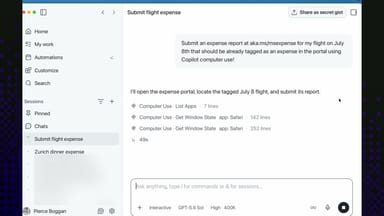
The broader pattern is hard to miss. Between dynamic workflows and computer use for desktop apps, both announced October 1, GitHub is pushing Copilot from a coding assistant toward an automation runtime with audit trails and human checkpoints. The open question is whether code-defined processes beat ad-hoc agent runs by enough to justify writing them. GitHub is betting the answer is yes for anything that has to run the same way twice.