GitHub Copilot can now operate your desktop apps, in public preview
GitHub's October 1 changelog brings computer use to Copilot CLI and the Copilot app on macOS and Windows, letting the agent click, type, and scroll through GUI-only software with per-app approval.
GitHub is giving Copilot hands. In an October 1 changelog post, the company announced computer use for GitHub Copilot in public preview, available in Copilot CLI and the GitHub Copilot app on macOS and Windows.
Computer use lets Copilot operate desktop applications directly: reading accessible app content and visual context, clicking controls, entering and editing text, pressing keys, scrolling, dragging, and carrying workflows across applications. The target is the software agents have historically been unable to touch, legacy and GUI-only tools that expose no API, command-line interface, or MCP integration.
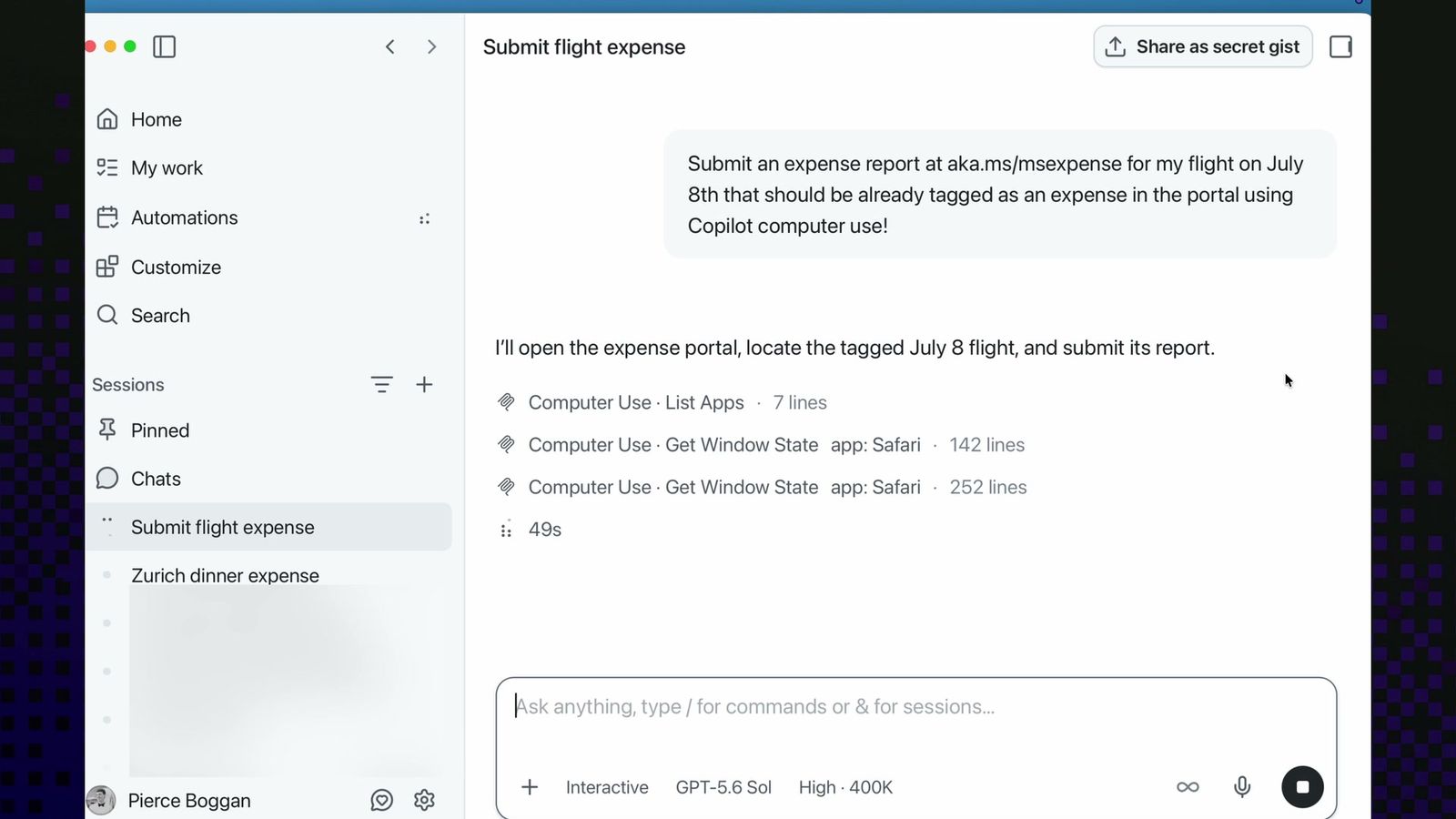
GitHub's examples are deliberately unglamorous. The announcement shows Copilot using computer-use tools to navigate an expense-report workflow in Safari. The company suggests summarizing browser notifications, updating content in a presentation, or moving information through a multi-step desktop workflow. The practical advice: describe the outcome you want, name the applications involved, and state any constraints.
The control model is approval-first. Copilot asks for permission before taking over an app, and users can review or reset the apps they have permanently allowed. On macOS, setup walks through the two system permissions the feature needs: Accessibility, so Copilot can interact with controls, and Screen Recording, so it can inspect windows when visual context is required. Organizations can switch the whole feature off through managed settings.
Getting started differs by surface. In Copilot CLI, /computer on enables it, /computer show reports status, and /computer off disables it. In the GitHub Copilot app, the toggle lives under Settings, then Computer Use. GitHub's docs have the full setup walkthrough.
For developers, the near-term value is the long tail of internal tools: the expense portal, the legacy admin console, the vendor dashboard that never got an API. Those are the workflows that still eat Friday afternoons.
What the announcement leaves out is notable. The changelog mentions no pricing or subscription tier, no general-availability date, and no Linux support. Computer use also arrives alongside a second October 1 addition, code-defined dynamic workflows, and GitHub has not said whether the two will converge into one automation story.
The timing puts GitHub in a crowded race. Anthropic, OpenAI, and a cluster of agent startups are all shipping computer-use style features, and the differentiator is increasingly the guardrails rather than the capability. GitHub's bet is that per-app approval plus an org-level kill switch makes desktop control safe enough for enterprise IT to leave switched on. Whether admins agree will decide if this becomes a daily driver or a demo feature.