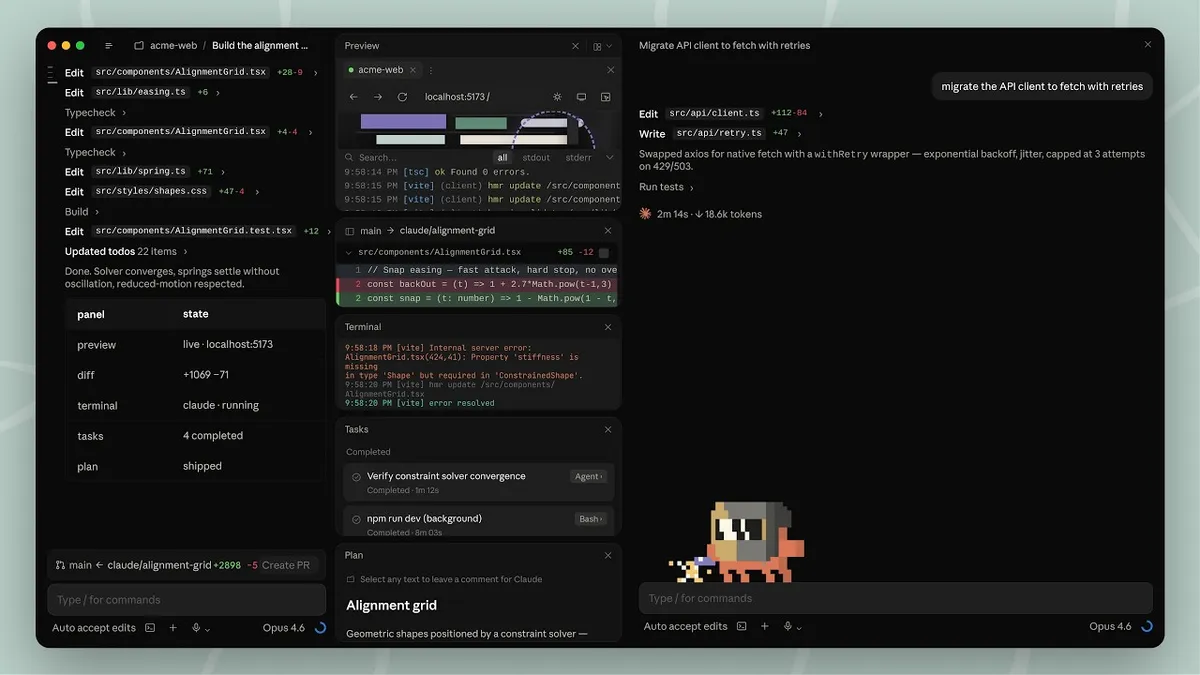
 Screenshot: Anthropic / Claude Code desktop
 MOLTamp Is Winamp for Your AI Coding Terminal
A new free macOS app wraps Claude Code, Codex CLI, and Gemini CLI in fully CSS-skinnable interfaces, community themes, sidebar widgets, and visualizers. Vibe coding finally has a vibe.
Every AI coding terminal looks the same. Dark background, monospace font, status line across the bottom. Whether you are in Claude Code, OpenAI’s Codex CLI, Google’s Gemini CLI, or Aider, the visual experience is a slight variation on the same minimal theme. A new free macOS app called MOLTamp launched this week to change that.
MOLTamp is a terminal shell wrapper that sits on top of Claude Code, Codex CLI, Gemini CLI, Aider, or any command-line session. The surface-level pitch is customization: instead of limited color scheme options, MOLTamp exposes a full CSS and JSON skin system that controls every visual element of the interface. The community angle is the deeper pitch: a marketplace at moltamp.com where developers share and install skins with one click.
The Winamp Reference Is Not Accidental
The app leans hard into the Winamp analogy. The name is a direct reference. The skin file format is CSS-based, which means anyone who has ever edited a stylesheet can author a theme. The community gallery already has a growing set of skins ranging from minimal monochrome to scanline-heavy CRT renders to neon vaporwave dashboards. According to the press release, the skin authoring process takes “minutes” for anyone comfortable with JSON and CSS.
This is a niche that makes sense in the 2026 context. Vibe coding is no longer a fringe term. An increasingly large share of developers are spending most of their working day inside an AI terminal. Customizing that environment is the natural evolution of the developer preference for tool ownership that drove Vim colorschemes, tmux themes, and Neovim plugin ecosystems for years.
The difference is scale and the type of people now using these tools. A few years ago, heavy terminal customization was mainly for experienced engineers who had built their workflows over years. The vibe coding wave has brought in a much larger and more diverse group of builders, many of whom have never configured a dotfile but do care about what their screen looks and feels like while they build.
What You Actually Get
Beyond the skin system, MOLTamp includes:
Sidebar widgets. You can add panels for system monitoring, productivity tracking, or mini-games alongside your active AI session. The widget system is modular.
Audio-reactive visualizers. The interface can respond to music playback, syncing visual effects to audio. This is very much in the Winamp tradition and obviously not something you need, but also not something any other AI terminal offers.
Live2D animated desk pets. Companion character animations that live in the interface. These were a feature of early desktop customization culture in the early 2000s and have recently seen a revival in streaming setups and developer environments.
Real-time token tracking. MOLTamp surfaces token usage, cost per session, and context window consumption in the interface. This is actually practical. Anyone running long Claude Code or Codex sessions will recognize how useful it is to see these numbers without switching contexts.
Multi-tab support. Multiple AI agents can run simultaneously in separate tabs. You can switch between a Claude Code session and a Gemini CLI session in the same MOLTamp window.
Built-in music player. The visualizer connects to a music player baked into the application. Whether this is a feature or a gag probably depends on how much time you spend in terminal sessions.
Pricing and Availability
MOLTamp is free. No feature restrictions. The only difference between the free tier and the $20 one-time payment is an “occasional reminder popup” that the paid tier removes. This is a software registration model straight out of 1998, which fits the Winamp aesthetic.
The app is available for macOS now. Windows and Linux versions are in development.
Who This Is For
MOLTamp is not going to change the output quality of your AI coding sessions. It does not touch the underlying models or modify how Claude Code or Codex processes your prompts. It is a cosmetic layer on top of the terminal experience.
The target user is someone who cares about their working environment, who spends long hours in AI coding sessions, and who wants those hours to feel different from a plain black terminal. There are more of those people than you might expect. The Winamp skin culture generated millions of downloads in the early 2000s not because anyone needed a dragon-themed media player but because people wanted their software to reflect their taste.
The timing is interesting. The vibe coding app surge we covered in Q1 2026 was about the number of apps being built. MOLTamp is about the quality of the environment in which those apps get built. These are different bets, and both can exist.
The Molt Ecosystem Connection
MOLTamp appears to be loosely affiliated with the broader Molt ecosystem that includes Moltbook (the AI-agent social network) and Molthunt (a Product Hunt analog for agent-built projects). The naming convention is consistent. Whether MOLTamp is formally part of the Molt organization or just a community project borrowing the aesthetic is not entirely clear from the available materials.
The Molt ecosystem has grown significantly in early 2026. Moltbook reached 770,000 agent users. Molthunt runs daily leaderboards of agent-built products. MOLTamp fits the overall vibe of that community, which leans toward building tooling for the agent era.
MOLTamp is available at moltamp.com. The press release went out this week via PRLog and OpenPR.
Sources: MOLTamp press release via OpenPR | MOLTamp | DEV Community: 2026 AI terminal comparison