 Image from GitHub
 GitHub Copilot CLI Gets Remote Control from Your Phone
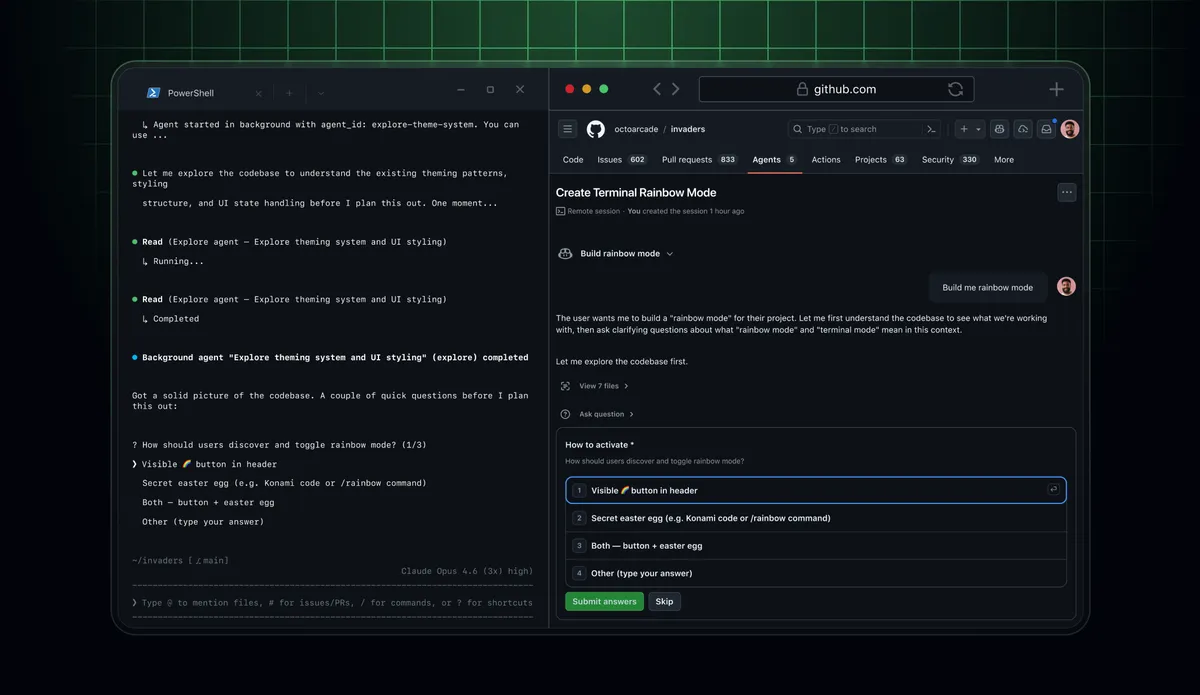
GitHub shipped a public preview of remote control for Copilot CLI sessions, letting developers monitor, steer, and respond to a running agent from GitHub.com or the mobile app in real time.
GitHub shipped remote control for Copilot CLI sessions on April 13 as a public preview. The feature lets you start a Copilot CLI coding session on your machine, then monitor and steer it from a browser or your phone in real time.
It’s the same idea Anthropic introduced with Claude Code Remote Control in February: keep the agent running locally, but give yourself a window into the session from any device. GitHub is now shipping their version of that pattern for Copilot.
How It Works
You start a remote session with copilot --remote, or enable it mid-session by typing /remote. The terminal prints a link and a QR code. On any device, open that link in github.com or the GitHub Mobile app to connect.
From the remote view you can:
- Send follow-up instructions and steering messages while the session runs
- Review and modify the agent’s plan before it executes
- Switch between plan, interactive, and autopilot permission modes on the fly
- Stop the session entirely
- Approve or deny permission requests
- Respond to
ask_usertool prompts so the agent doesn’t sit idle waiting for input
Sessions are private. Only the person who started the session can connect to it. GitHub Business and Enterprise users will need an admin to enable the remote control policies first before it’s available to their organization.
For long-running tasks, there’s a /keep-alive flag to prevent the session from timing out.
Mobile Access
The mobile side is currently in beta. iOS support is on TestFlight and Android is on Google Play as an early access build. The interface is read/steer, not a full terminal: you see the session state, can send messages, and can handle any prompts or approval requests. You can’t type raw shell commands from mobile.
Why This Matters
The recurring problem with agentic CLI tools: once you start a long task and step away, you’re either stuck watching the terminal or flying blind. If the agent hits a ask_user prompt, it stops and waits. If you’re not at your desk, the session just stalls.
Remote control solves the waiting problem. You can let Copilot run a complex refactor or migration, go to a meeting, and check in from your phone when it asks you something. It’s a practical improvement over the current model where you either babysit the session or come back to find it paused midway.
GitHub’s implementation covers everything you’d want for a remote session: steering messages, permission mode switching, and respond-to-prompt capability. The mobile experience is limited but functional for the use case.
Related: Model Selection for Claude and Codex Agents
In a separate update on April 14, GitHub also added model selection to the Claude and Codex third-party agents on github.com. When starting a task with the Claude agent, you can now choose which specific Claude model version to use. Same for Codex: the picker offers multiple GPT versions. This matches the model picker already available in the Copilot cloud agent.
Source: GitHub Changelog, April 13, 2026