 Image: Microsoft / code.visualstudio.com
 VS Code 1.124 and 1.125: Autopilot On by Default, Remote Browser Over SSH, and a Copilot Budget Dashboard
Two weeks of VS Code's weekly cadence bring Autopilot enabled by default with a smarter loop-termination model in 1.124, and remote browser proxying through SSH, Edit Mode removal, and a Copilot credits dashboard in 1.125.
Microsoft moved VS Code to a weekly release cadence in March 2026, and versions 1.124 and 1.125 shipped June 10 and June 17, respectively. Between them, the releases change how Autopilot operates, add a remote browser that works over SSH, and remove a Copilot Chat workflow that’s been on its way out for months.
VS Code 1.124: Autopilot Is Now On by Default
Autopilot, the agentic mode where Copilot can run tool calls without asking permission for each one, is now enabled by default in 1.124. Previously you had to turn it on manually. Organizations can still control the default permission level via chat.permissions.default and administrators can set policy through chat.tools.global.autoApprove.
The bigger change is Advanced Autopilot, which addresses a long-standing complaint: agents that keep looping without finishing anything. Instead of a fixed rule for when to stop, a small utility model reads a transcript of the chat and decides whether the task is actually done. The current implementation caps iteration at three loops. The agent’s current objective shows in a tooltip, so you can see what it thinks it’s trying to accomplish. Enable it via chat.autopilot.advanced.enabled.
Agent Session Management
1.124 also improves how you work with multiple agent sessions:
- Background send: You can queue a new request in the background (Alt+Enter) before the current session finishes loading, instead of waiting
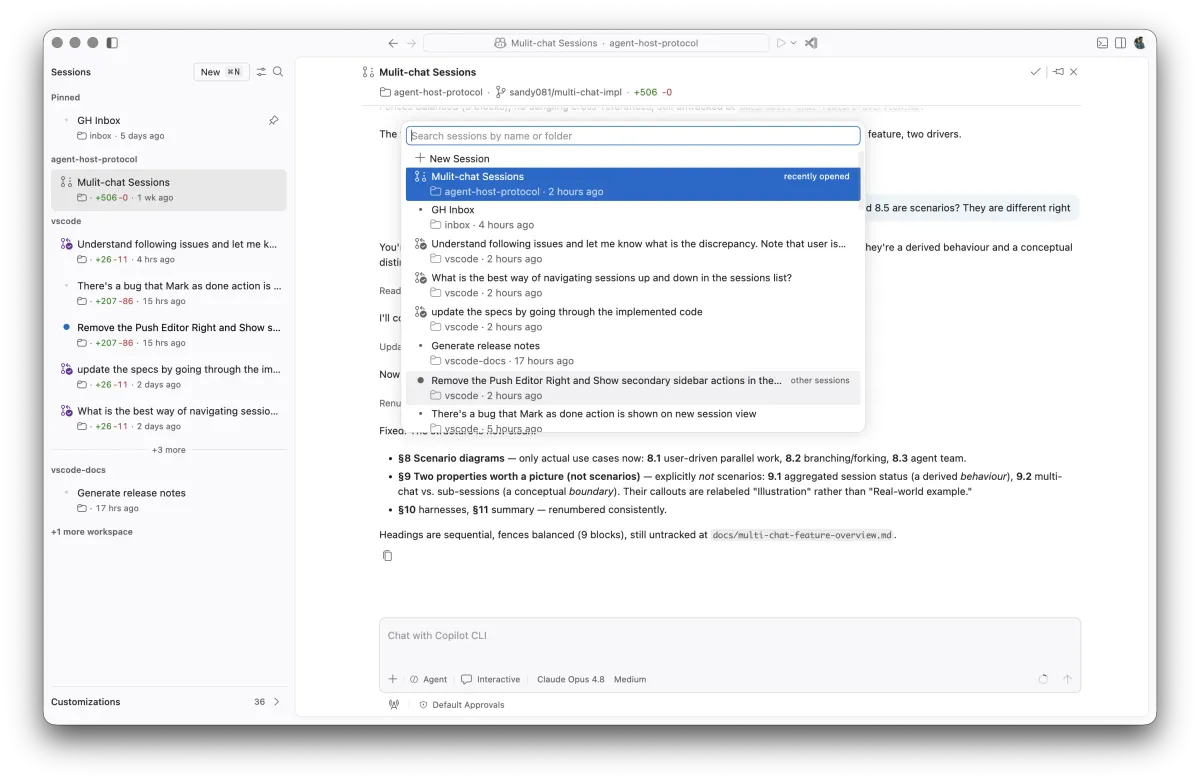
- Session navigation: Ctrl+R searches through sessions; back/forward navigation is now supported
- Agents panel: An Agents window lets you browse, filter, and open sessions across projects and machines from one place
- Persistent layout: Reloading the window now restores your open sessions and their arrangement
The integrated browser gained history: it suggests previously visited pages when you type in the URL bar, which helps if you’re using it as an agent tool that revisits the same URLs repeatedly.
VS Code 1.125: Remote Browser, Budget Monitoring, Edit Mode Gone
Version 1.125 shipped June 17. The headline change for developers using remote development is the integrated browser’s new SSH proxying: HTTP(S) traffic now routes through the remote connection, so the browser and any agent using it can reach remote-only services and localhost URLs without guessing at port forwarding. Forwarded port URLs are rewritten automatically.
Edit Mode removed. The distinct edit-focused Copilot Chat workflow that lived alongside Ask and Generate modes is gone in 1.125. Microsoft has been consolidating its Copilot Chat workflows, and Edit Mode was effectively superseded by how Autopilot handles edits in agent mode. If you were using it, the agent mode handles the same use cases now.
Copilot budget monitoring is new in the status bar. The Copilot status dashboard shows what percentage of your additional Copilot budget (inline suggestions quota and AI credits) you’ve consumed. Given that Copilot switched to usage-based billing with GitHub AI Credits in early June, knowing your consumption inline is useful.
Air-gapped BYOK: You can now use your own language models even when disconnected. The previous BYOK implementation required network access; this version removes that requirement.
Extension update controls: A new extensions.autoUpdateDelay setting (default: 2 hours) delays automatic extension installs, and disabled extensions no longer receive silent background updates. This matters for developers who want more control over when their environment changes.
For enterprise teams, managed Copilot settings can now be delivered via MDM (Windows and macOS), which lets IT push policy configurations without requiring per-user sign-in.
The integrated browser also gains a marketplace-style discovery flow for model providers, making it easier to install extra models beyond your existing BYOK configuration.
VS Code 1.126 is expected next week under the weekly cadence. The full release notes for 1.124 and 1.125 are on the VS Code site.