 Image: GitHub / github.blog
 GitHub Copilot Can Now Approve Pull Requests
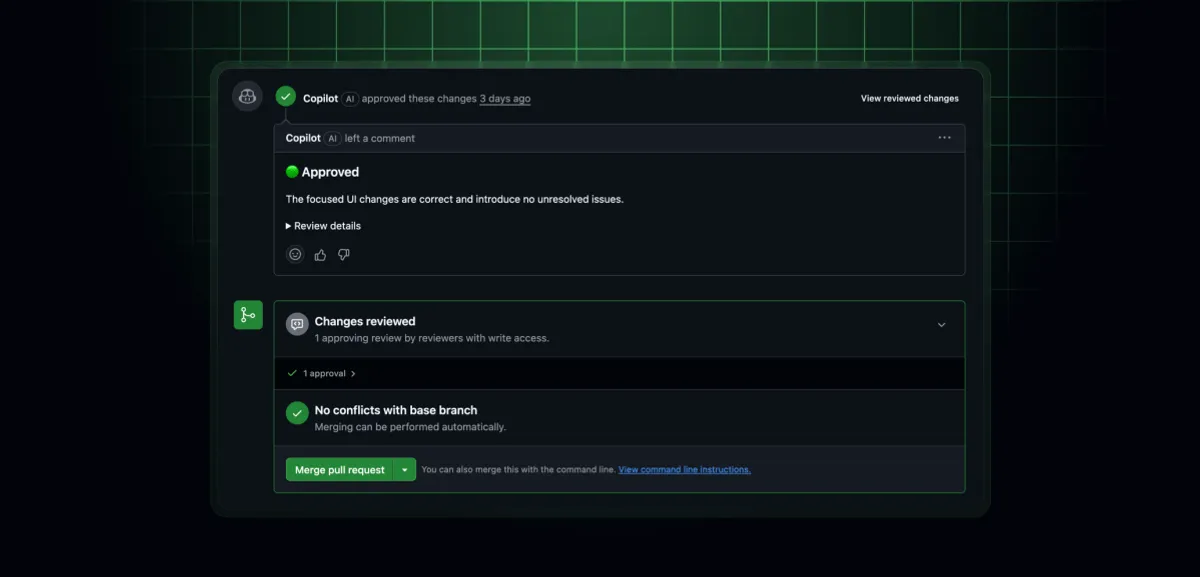
Copilot code review gained approval authority this week. When administrators enable it, Copilot's sign-off counts toward your repository's merge requirements. It's off by default and configurable at the enterprise, organization, or repository level.
GitHub flipped a meaningful switch on September 1: Copilot can now formally approve pull requests. When an administrator turns the feature on, Copilot’s approval counts toward your repository’s merge requirements, the same way a human reviewer’s would.
This is a public preview. It’s available to Copilot Pro, Pro+, Max, Business, and Enterprise subscribers.
Two separate things: assessments and approvals
There’s a distinction worth understanding before you do anything with this.
Every Copilot code review already includes an approval assessment in the overview comment. That assessment tells you whether Copilot thinks the PR is ready. But on its own, the assessment does nothing mechanically. It won’t satisfy a branch protection rule or push anything through.
The new approval capability is different. When an admin enables it, Copilot can submit an actual approval that satisfies your repository’s review requirements. That’s the new part.
Configuration is layered
The feature is off everywhere by default. Enabling it requires administrator action, and it can be configured at three levels:
- Enterprise — either disable org-wide or let organizations decide for themselves
- Organization — enable broadly, delegate to repo admins, target specific repositories, or block entirely
- Repository — toggle on or off, and optionally restrict which file paths Copilot is allowed to approve
The file-path restriction is useful if you want Copilot to sign off on lower-stakes changes (tests, docs, config) but require a human for core application code.
Approvals reset on new commits
If a developer pushes new commits after Copilot approves, the approval is automatically dismissed. Copilot’s review of the updated changes needs to be explicitly re-requested. This matches how GitHub handles human approvals when required reviews are configured with stale dismissal.
What this actually changes
For most teams, nothing changes immediately because the feature is disabled by default. You’d need to actively opt in at the admin level.
Where it could matter: high-volume, low-risk PR workflows where a human reviewer becomes a bottleneck. If your repo handles a lot of dependency updates, auto-generated code, or documentation changes, Copilot approval could clear those without pulling in a human.
The obvious question is where AI approval authority fits into your security and compliance posture. GitHub’s guidance is to start with low-risk code and measure outcomes before expanding. The file-path restriction makes it possible to be surgical about scope.
The feature is in public preview, so some rough edges should be expected. Full configuration documentation is available in GitHub’s Copilot code review docs.
Sources: GitHub Changelog, Sept 1, 2026