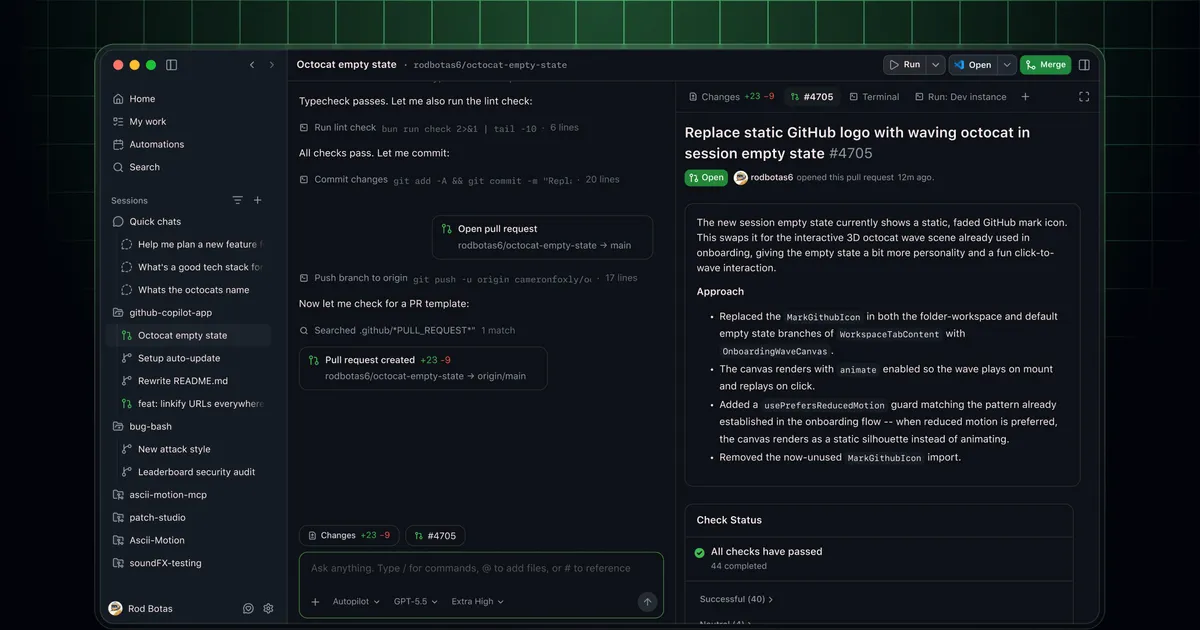
 Screenshot from GitHub Blog / github.blog
 GitHub Copilot App Is Now Generally Available for All Paid Plans
GitHub moved the Copilot App out of technical preview on June 17, making it generally available for Pro, Pro+, Business, and Enterprise customers. The standalone desktop app for agent-driven development is now production-ready, with Canvases, cloud automations, and per-session model selection included.
GitHub moved its Copilot App to general availability on June 17. The app has been available in technical preview since May 14, and expanded to all paid plan holders on June 2, but yesterday’s release marks the official end of the preview period.
Pro, Pro+, Business, and Enterprise customers can now use it without signing up for early access. For Business and Enterprise plans, admins need to enable the Copilot CLI in organization policy settings before their team members can access it.
What the App Is
The Copilot App is a standalone desktop application for macOS, Windows, and Linux. It’s separate from the Copilot extension inside VS Code or JetBrains. The focus is agent-driven work: starting sessions from GitHub issues or pull requests, running multiple sessions across different repositories at once, reviewing agent output, and shipping code.
Each session runs on its own branch and worktree. You can open several in parallel, each working on something different, and switch between them rather than queuing tasks sequentially.
Canvases
Canvases are the most distinctive feature. Instead of a chat log where you watch the agent output text, a Canvas is a shared surface that both you and the agent edit at the same time. It can represent a plan, a pull request, a terminal session, or a browser view. The agent updates it as it works. You can edit, reorder, or redirect work directly on the same object.
The result is closer to a shared document than a conversation. If you want the agent to go a different direction, you edit the Canvas rather than typing a correction and hoping the agent interprets it correctly.
Cloud Automations
Cloud Automations let you schedule recurring agent tasks that run without your machine being on. You define what the agent should do and when, and GitHub runs it in the cloud on a schedule. The sessions are still tied to your repositories and branches, but they don’t depend on your laptop being awake.
Model and Tool Selection
Each session can use a different model. If one task benefits from faster responses and another needs deeper reasoning, you can configure them separately. MCP server support lets you connect external tools to sessions — data sources, internal APIs, or any MCP-compatible service.
Context
GitHub first announced the Copilot App at Microsoft Build 2026 in mid-May alongside Project Polaris, GitHub’s effort to give Copilot persistent memory and longer-running capabilities. The App is where the hands-on agent work happens.
The Copilot SDK also reached GA earlier this month across Node.js, Python, Go, .NET, Rust, and Java, opening up agent development to teams who want to build on top of the same infrastructure.
Source: GitHub Changelog, June 17, 2026