 Image: Cursor / cursor.com
 Cursor's Cloud Agents Can Now Run on Your Own Machines
Cursor's self-hosted machines feature lets teams keep tool execution inside their own network, with support for AWS Lambda, Coder, Cloudflare, Modal, and more. Computer use included on Linux and Mac.
Cursor shipped self-hosted machines on September 2, giving teams the option to run cloud agent tool execution on their own infrastructure instead of Cursor’s servers. For organizations with strict data requirements, this is the feature that removes the main objection to cloud agents.
How it works
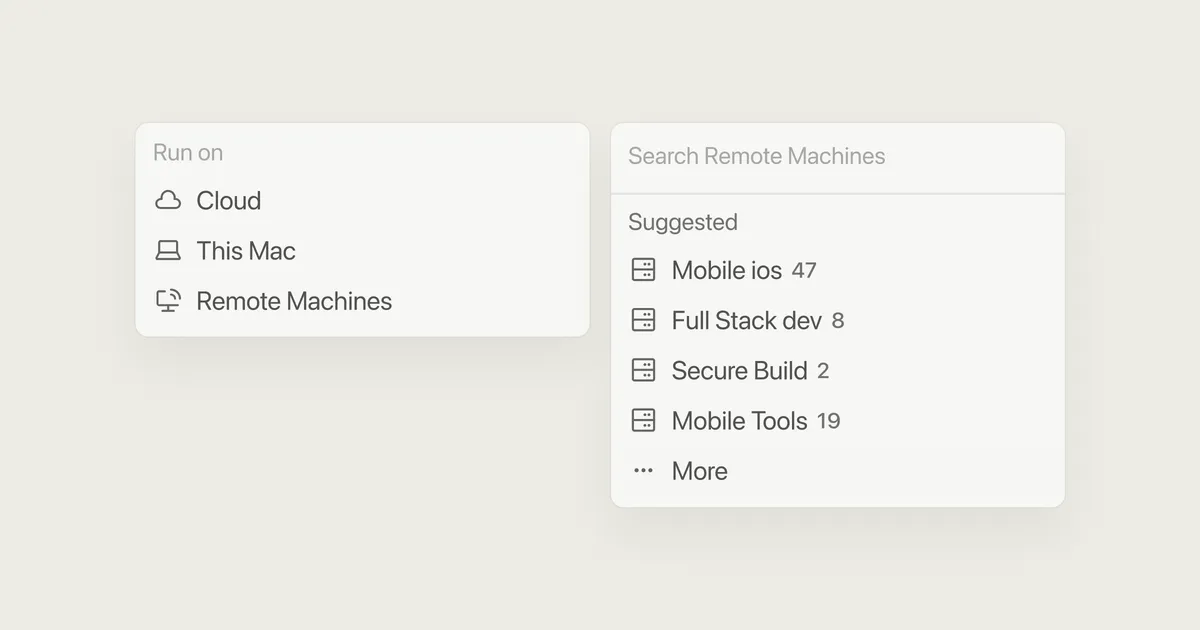
Self-hosted machines split the agent architecture in two. The agent itself still runs in Cursor’s cloud (handling reasoning and task planning), but every tool call (file reads, shell commands, test runs, browser interactions) executes on a worker you control. Your codebase, build outputs, and secrets never leave your network.
There are two deployment modes. “My Machines” connects a single laptop or VM to your personal account for individual use. “Team Pools” are named queues of workers that scale with demand: capacity grows as requests arrive and shrinks when workers disconnect, with hibernation support so you’re not paying to keep machines warm between tasks.
Infrastructure integrations
Out of the gate, cloud agents can execute on AWS Lambda, Coder, Cloudflare, Daytona, Modal, Namespace, Vercel, and E2B. For most engineering teams, at least one of those is already in the stack.
Cloudflare put out a press release alongside Cursor’s announcement, noting their sandboxes are now available as a worker target. For teams already using Cloudflare Workers, the setup is straightforward.
Computer use
Self-hosted workers on Linux and Mac now support computer use: agents can take screenshots, click, type, and drive a browser on the worker machine. Cursor also offers a view-and-take-control option for users who want to watch what the agent is doing or intervene mid-task.
This matters most for frontend testing and UI automation tasks, where agents need a real display environment to work in.
When to use it
Cursor published a decision guide in the announcement: use Cursor-hosted cloud agents for tasks where you’re comfortable with external tool execution, and switch to self-hosted when you have compliance requirements, internal tooling that needs network access, or want computer use on your own machines.
For smaller teams without strict data policies, the hosted option is still simpler. The self-hosted path is aimed at enterprise and security-sensitive organizations that had previously sat out cloud agents entirely.
Sources:
- Self-hosted machines — Cursor Changelog
- Run cloud agents on machines you manage — Cursor Blog
- Cloudflare Expands Support for AI Coding Agents with Cursor Cloud Agents on Cloudflare Sandboxes — Cloudflare