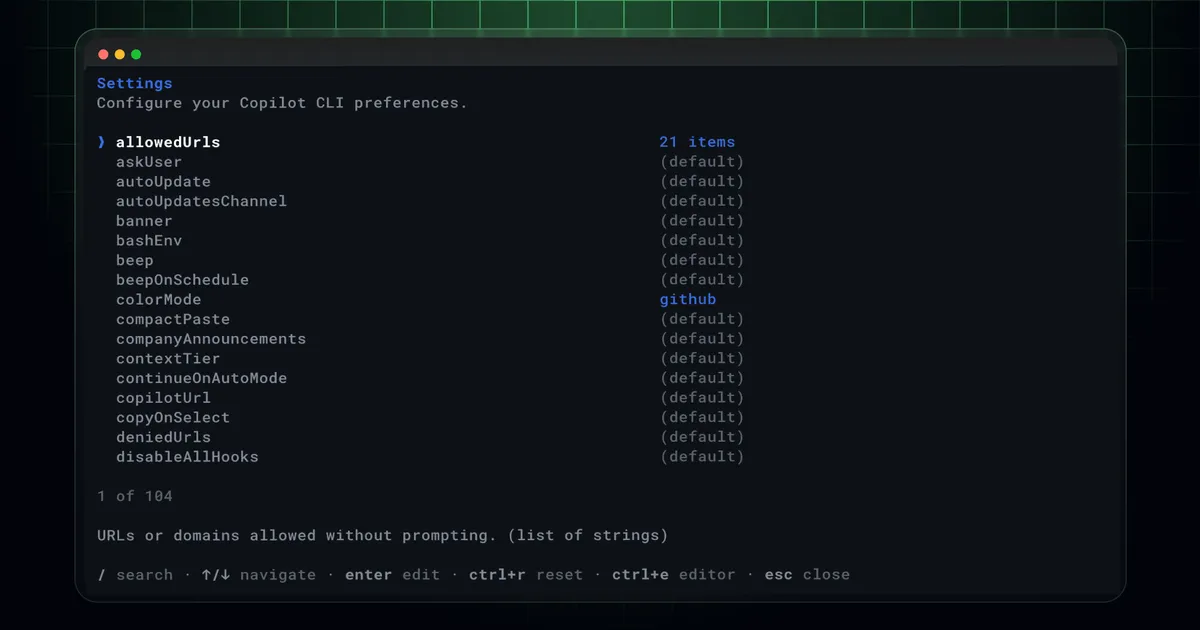
 Screenshot from GitHub Changelog (github.blog)
 GitHub Copilot CLI Gets a Unified /settings Command and a Security Review Tool
Two Copilot CLI updates from this week: a new /settings command that consolidates scattered configuration options into one place, and a /security-review slash command now in public preview that runs a security scan on your code changes from the terminal.
GitHub shipped two Copilot CLI updates in back-to-back days this week. The June 10 release added /security-review, an experimental public preview command for scanning code changes. The June 11 release added /settings, a unified configuration interface that replaces the previous approach of scattered slash commands.
/settings: One Place for All Configuration
Before this update, changing Copilot CLI settings meant knowing which specific slash command to run. Theme was /theme. Streamer mode was /streamer-mode. Experimental features had their own toggle. The list was spread out and not particularly discoverable.
The new /settings command pulls all of that into a single schema-driven interface. You open it, see all your options in one place, and change what you need. GitHub describes it as combining “previously scattered commands” into a unified home.
For developers who don’t spend time memorizing every CLI flag, this is a practical improvement. You no longer need to remember the exact command name for whatever setting you’re trying to change.
/security-review: Scan Your Changes From the Terminal
The /security-review command is now in public preview. Running it from Copilot CLI triggers an analysis of your current code changes and surfaces potential security issues without leaving the terminal.
The command is positioned as a pre-commit checkpoint. The idea is to catch problems before you open a pull request rather than after someone files an issue. GitHub’s description focuses on code changes specifically, so it’s scanning the diff context you’re working with rather than the entire codebase.
The feature ships as “experimental” in public preview, meaning it’s available to everyone but the behavior and output format may change before general availability. It was first announced as a capability in GitHub’s May roadmap for Copilot CLI, and this release is the public rollout.
What This Week’s Copilot CLI Activity Signals
Copilot CLI has been getting consistent investment since the platform shifted toward metered billing in early June. The current trajectory looks like a push to make Copilot CLI match the productivity surface area of competitors like Claude Code and Codex CLI, which have been iterating aggressively on their terminal experiences.
The security scanning addition is worth watching. If it graduates from preview with good detection quality, it could become a default step in developer workflows that use Copilot CLI as the primary AI interface.