 Image: AlternativeTo / OpenAI
 Codex Record and Replay Turns Demonstrated Workflows into Reusable Skills
OpenAI's June 18 Codex update adds Record and Replay on macOS: demonstrate a workflow once and Codex converts it into a reusable AI skill you can run on demand with different inputs.
OpenAI shipped Record and Replay for Codex on June 18 as part of app version 26.616. The feature is limited to macOS for now, and it does something none of the other major AI coding tools currently offer: it watches you complete a task, then turns what it saw into a reusable skill.
How It Works
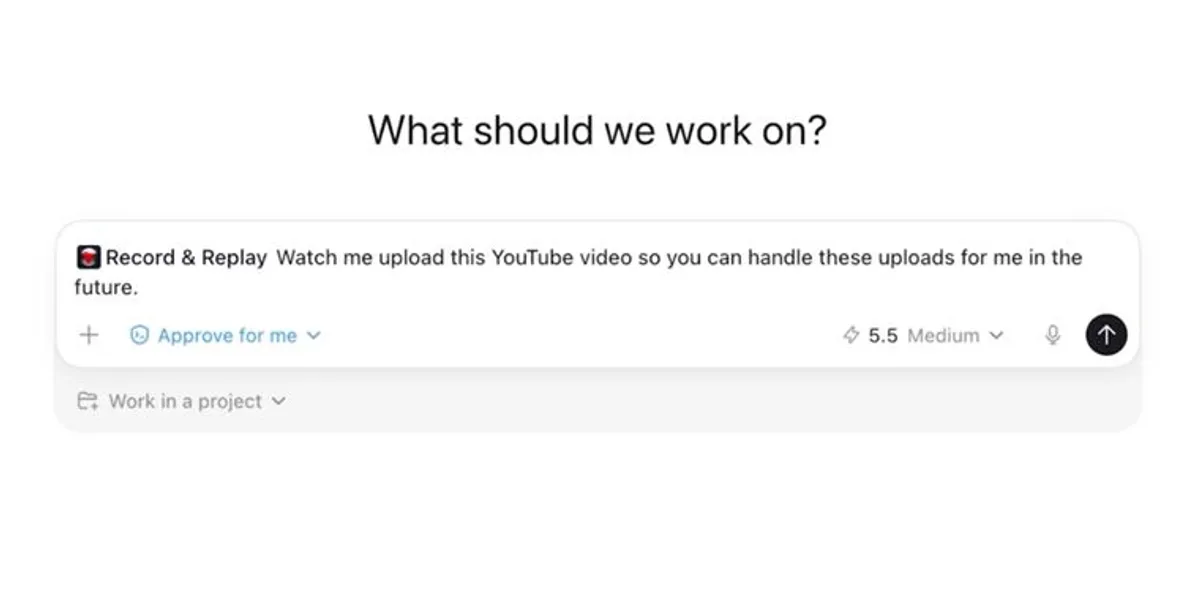
Record and Replay lives inside Codex’s Plugins menu. You open it, select “Record a skill,” give Codex some context about what you’re doing, grant recording permission, and then just perform the workflow as you normally would. When you’re done, you stop the recording and Codex analyzes the captured session.
The output is a SKILL.md file that describes the workflow in natural language. That distinction matters. Codex doesn’t produce a replay log — a brittle sequence of exact clicks tied to specific coordinates. It generates a description a reasoning model can interpret, which means the skill can generalize. When you run it again with a different date, a different file, or a fresh instance of the same app, the agent figures out how to adapt rather than failing because a button moved two pixels.
What It’s For
The use cases OpenAI highlights are all in the category of tasks that are easier to show than explain: filing an expense report, booking a recurring parking slot, creating a correctly configured GitHub issue, uploading a video with the right metadata and thumbnail, downloading a report that resets each month.
These are workflows where writing instructions is tedious and the edge cases are hard to anticipate. Demonstrating once is faster, and the generated skill captures the preferences and conventions you’d otherwise have to document.
Skills can be shared across a team. If someone on your team sets up a skill for your expense system, everyone with access can run it.
Availability
Record and Replay requires Computer Use to be enabled. It’s available to ChatGPT Plus, Pro, Business, Enterprise, and Edu subscribers. OpenAI is not rolling it out in the European Economic Area, the United Kingdom, or Switzerland at launch, with no stated timeline for those regions.
If your organization uses a requirements.toml file with computer_use = false, Record and Replay is disabled regardless of plan.
Practical Limits
OpenAI’s guidance is to keep demonstrations short and complete, use realistic inputs that aren’t sensitive, and skip any cleanup steps unrelated to the actual workflow. After generation, you can edit the skill to add context about naming conventions or decision points that weren’t visible from the recording.
For anything that needs to be distributed team-wide with multiple bundled skills, metadata, or app integrations, a full plugin is a better fit than a recorded skill.
Sources: OpenAI Codex Record and Replay documentation · AlternativeTo coverage · Codex changelog v26.616