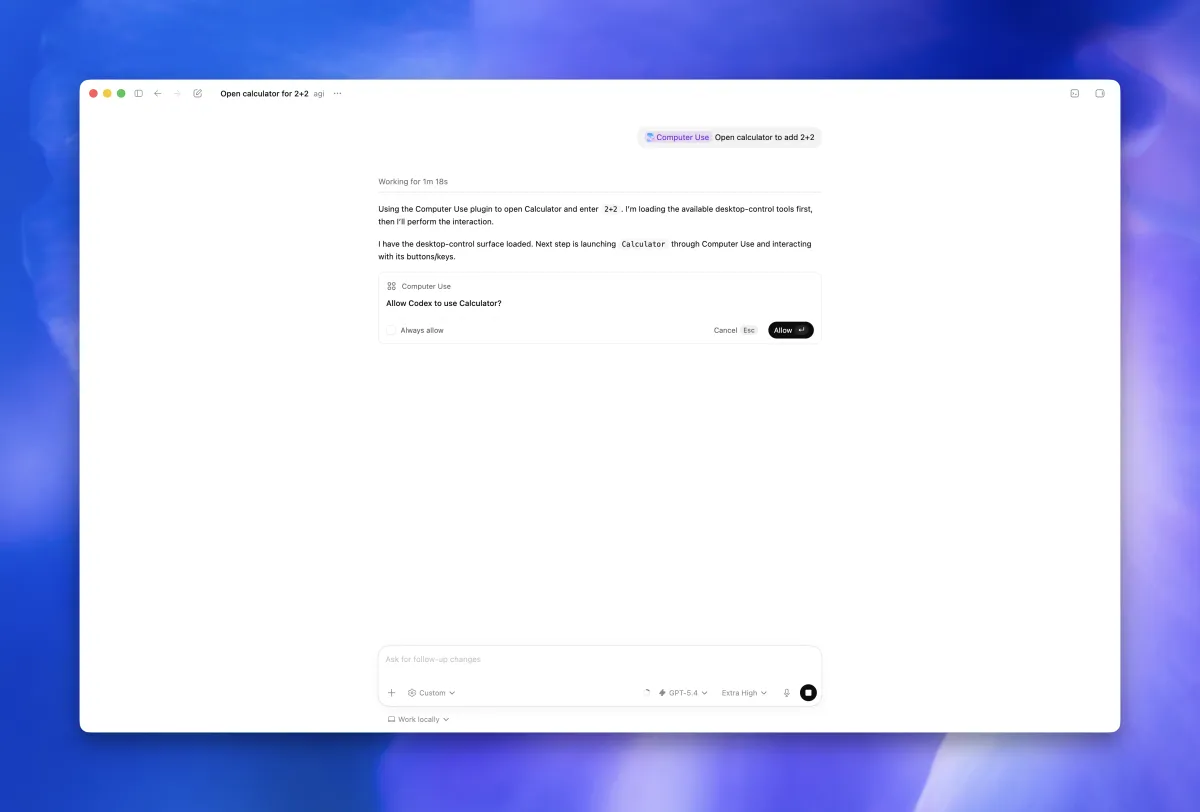
 Screenshot from OpenAI Codex documentation (developers.openai.com)
 Codex Desktop 26.609: Computer Use Goes Enterprise, Rate-Limit Banking Lands for Pro Users
OpenAI's June 11 Codex desktop update expands Computer Use to Enterprise accounts outside the EU/UK, adds rate-limit reset banking for Plus and Pro users, and opens Chrome DevTools Protocol access for developers who need to debug what the agent is doing in the browser.
OpenAI shipped Codex desktop update 26.609 on June 11. The headline items are Computer Use expanding to Enterprise customers outside the EU, UK, and Switzerland, and a new rate-limit reset banking system for Plus and Pro subscribers.
Computer Use Is Now Available for Enterprise
Computer Use has been in Codex for a while as a Mac-only feature for individual subscribers. Version 26.609 opens it up to Enterprise accounts outside the EEA, UK, and Switzerland (those regions are still pending regulatory review). Windows per-app access controls also ship in this update, so Enterprise users on Windows can specify which applications Codex is allowed to interact with rather than granting blanket permission.
The feature works by giving Codex the ability to see screen content and interact with desktop apps using its own cursor. Codex requests approval before touching any new application, and that approval can be locked in as “Always allow” for trusted software. In practice, it handles tasks that require navigating GUIs rather than just terminal commands — filling out forms, operating local tools that don’t have APIs, verifying visual output in apps.
Rate-Limit Reset Banking
Plus and Pro users get a new option when they hit their rate limit: rate-limit reset banking. Instead of just waiting out the cooldown, you can now bank resets and redeem them. At launch, each user gets one free reset. More resets can be earned through referrals.
The idea is to smooth out usage spikes. If you’re in the middle of a long task and hit a limit, you can use a banked reset to keep going rather than stopping cold. It’s a practical concession to how real usage patterns work — you might barely touch Codex for days, then need several hours of heavy use at once.
Developer Mode for Browser Use
A new Developer mode activates Chrome DevTools Protocol access when Codex is using its browser. When something goes wrong in browser use (the agent fails to find an element, misreads the page structure, or takes a wrong action), Developer mode lets you inspect what the agent actually saw. It’s the same CDP access you’d use for manual debugging, surfaced in a context where the browser is under AI control.
This fills an obvious gap. Without it, diagnosing browser use failures meant inferring what happened from agent output. With CDP access, you can see the DOM state, network requests, and console output at the moment the agent made its decision.
Other Changes
The update also adds:
/initcommand in the app composer for initializing new projects. This gives you a structured way to set up context before starting an agent task rather than doing it through regular chat.- Unread chats section in the command menu, so you can quickly jump to conversations with new activity.
- Customizable macOS Dock icons with separate light and dark variants.
- Browser use performance improvements — OpenAI says the CDP and DOM snapshot optimizations roughly doubled browser operation speed.
- Better activity summaries in completed chats and improved workspace plugin support.
On the CLI side, version 0.139.0 (June 9) added the ability for Code mode to call web search directly and return plaintext results. That release also improved the plugin marketplace automation, letting you list available plugins in JSON format with a cached remote catalog for faster browsing.