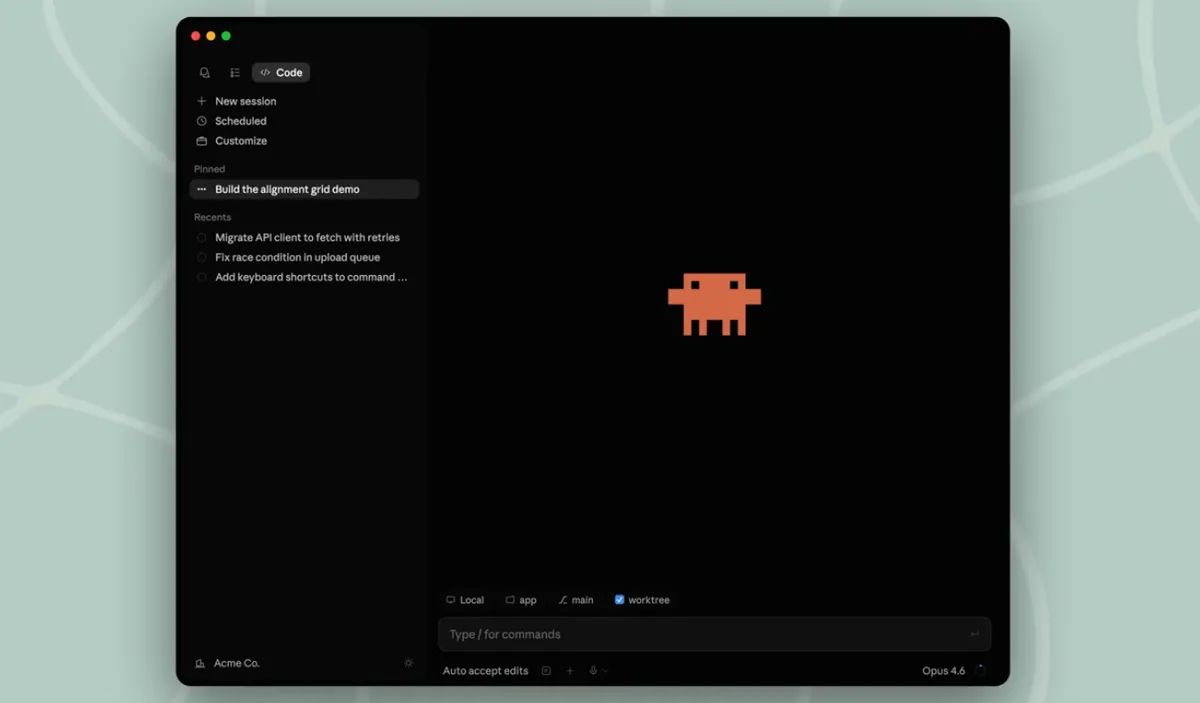
 Screenshot via SiliconAngle / Anthropic
 Anthropic Rebuilds the Claude Code Desktop App and Launches Routines
Anthropic shipped a major Claude Code desktop redesign with multi-session management, an integrated terminal, and a rebuilt diff viewer, alongside Routines — cloud-hosted automations that run without your laptop.
Anthropic released a redesigned Claude Code desktop app on April 14, alongside a new feature called Routines that lets automations run on Anthropic’s cloud infrastructure without requiring an open laptop session. Both changes address the same underlying shift: developers running multiple agents at once instead of one conversation at a time.
The official blog post frames it directly: “We redesigned Claude Code on desktop to help you manage parallel agents working across multiple repos and environments.”
Multi-Session Sidebar
The most visible change is a new sidebar that shows every active and recent session in a single view. Sessions can be filtered by status, project, or environment, and grouped by project for faster navigation. Each session in a Git repo gets its own isolated copy via Git worktrees, so changes in one session don’t affect others until committed. Sessions automatically archive when the associated PR merges or closes.
The old approach, one conversation per window, worked fine when most people ran one agent at a time. The new layout is designed for the workflow where you’ve got a refactor running in one repo, a bug fix in another, and a review happening in a third.
Integrated Tools
The redesigned app brings several commonly-used tools inside the window:
- Integrated terminal for running tests and builds without switching apps
- In-app file editor for spot edits
- Rebuilt diff viewer optimized for large changesets
- Expanded preview that handles HTML files, PDFs, and local dev servers
Every pane is drag-and-drop. You can arrange the terminal, preview, diff viewer, and chat in whatever grid fits how you work. Three view modes (Verbose, Normal, Summary) let you control how much output the interface shows.
A new side chat feature (⌘+; on Mac, Ctrl+; on Windows) lets you branch off a question from the main thread. The side chat pulls context from the primary session but doesn’t redirect the active task.
Keyboard Navigation
New shortcuts make it faster to move between sessions: ⌘+/ (Ctrl+/ on Windows) opens the session switcher. The keyboard shortcut list is accessible from the same menu.
Plugin parity is also resolved — the desktop app now matches the CLI for centrally managed and locally installed plugins. SSH support has been extended to macOS alongside the existing Linux support.
Routines
The bigger architectural addition is Routines, launched in research preview. A Routine bundles a prompt, a repo, and connectors into a single saved configuration that can run on a schedule, fire from an API call, or trigger off a GitHub event like a new pull request. The execution happens on Anthropic’s servers, not your machine.
The practical difference: a nightly triage of bugs from a Linear backlog, or a recurring PR health check, can run at 2 AM without your laptop being on or a background process left running.
Daily run limits apply by plan: Pro gets 5 per day, Max gets 15, Team and Enterprise get 25. Overages are charged separately.
Availability
The redesigned desktop app is available now for all Claude Code users on Pro, Max, Team, and Enterprise plans, and via the API. Download or update at claude.com/download. Routines are in research preview, so access may be limited initially.
Sources: Anthropic blog, SiliconAngle, 9to5Mac, MacRumors, April 14-15, 2026.